
This morning, Apple released Logic Pro 13, introducing several exciting updates, including an AI assistant that helps users navigate Logic Pro using natural language, Stem Splitter improvements, new sounds, and, perhaps most importantly for composers like me, a new browser with music-aware search capabilities.
While it’s incredibly convenient to download stems from different sources, including Bovo Agent, organizing and keeping track of all those sounds can be one of the most tedious and time-consuming parts of music production. It’s certainly not something I enjoy doing.
After testing Logic Pro 13’s new browser, I found that the workflow has become much smoother, making it significantly easier to work with stems generated by Bovo Agent.
The Workflow from Bovo Agent to Logic Pro
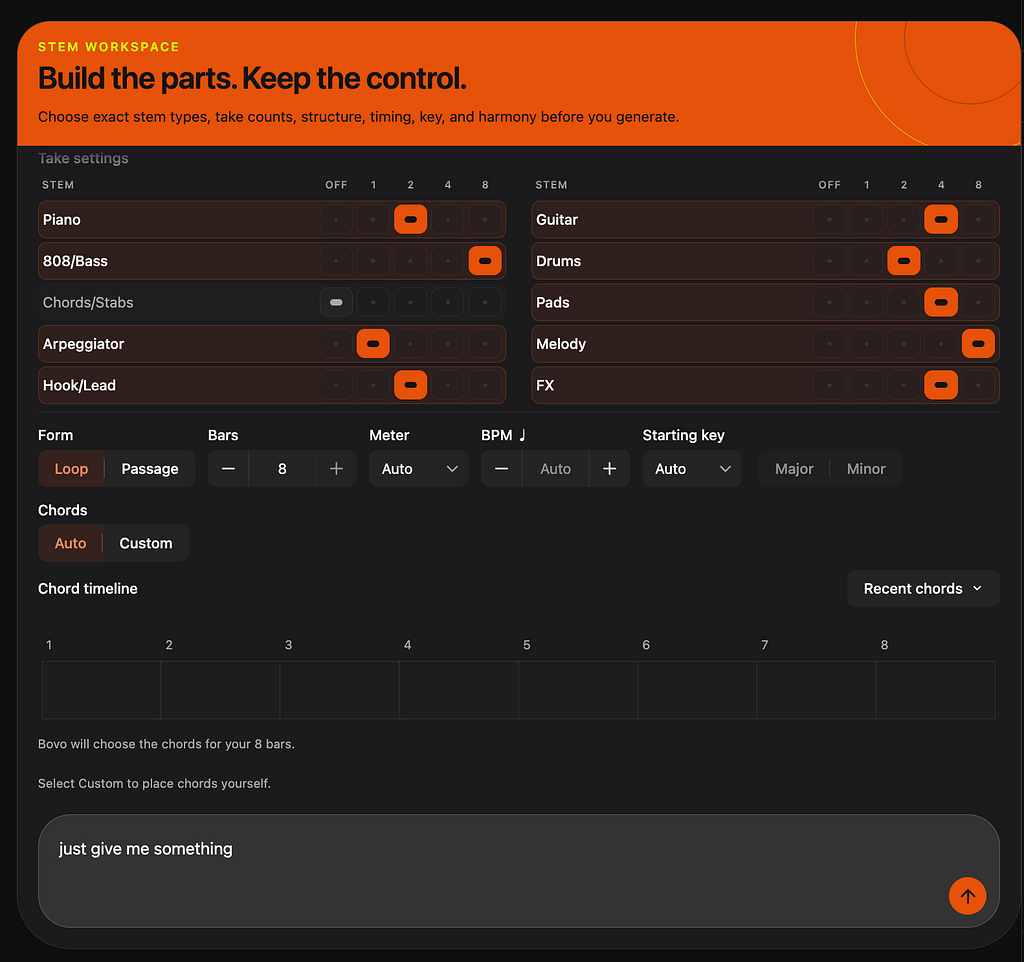
The first thing I tried was generating a few stems with Bovo Agent. I randomly selected several stem types and didn’t even bother giving any detailed instructions. I simply typed, “Just give me something.”
Bovo Agent generated several stems, which I then downloaded to my local drive. Our system automatically organizes the stems into their respective folders.
In my previous workflow, I would have to open my sample library, navigate through different folders, and manually find the sounds I wanted to use.
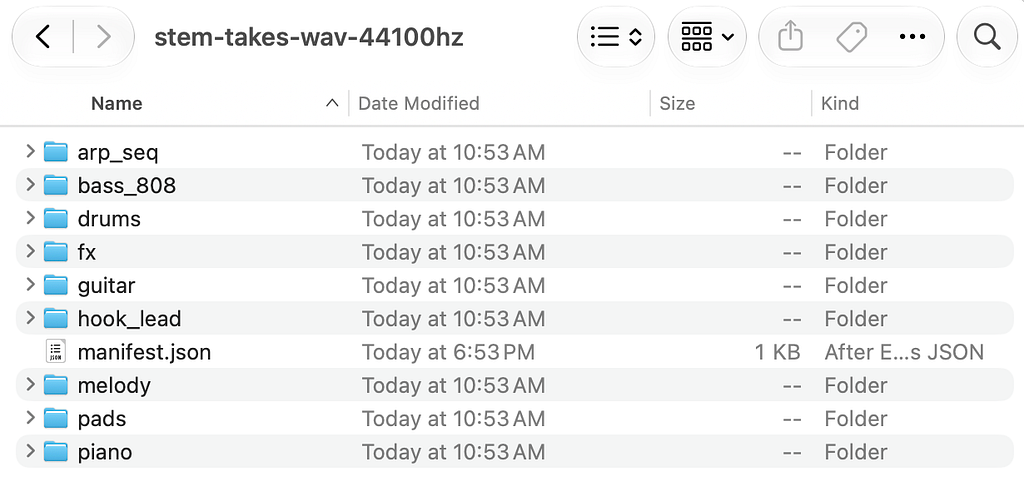
Here’s where Logic Pro 13’s latest update gets interesting.
When I first imported the stems into the new browser, I thought navigating through everything might still be complicated.
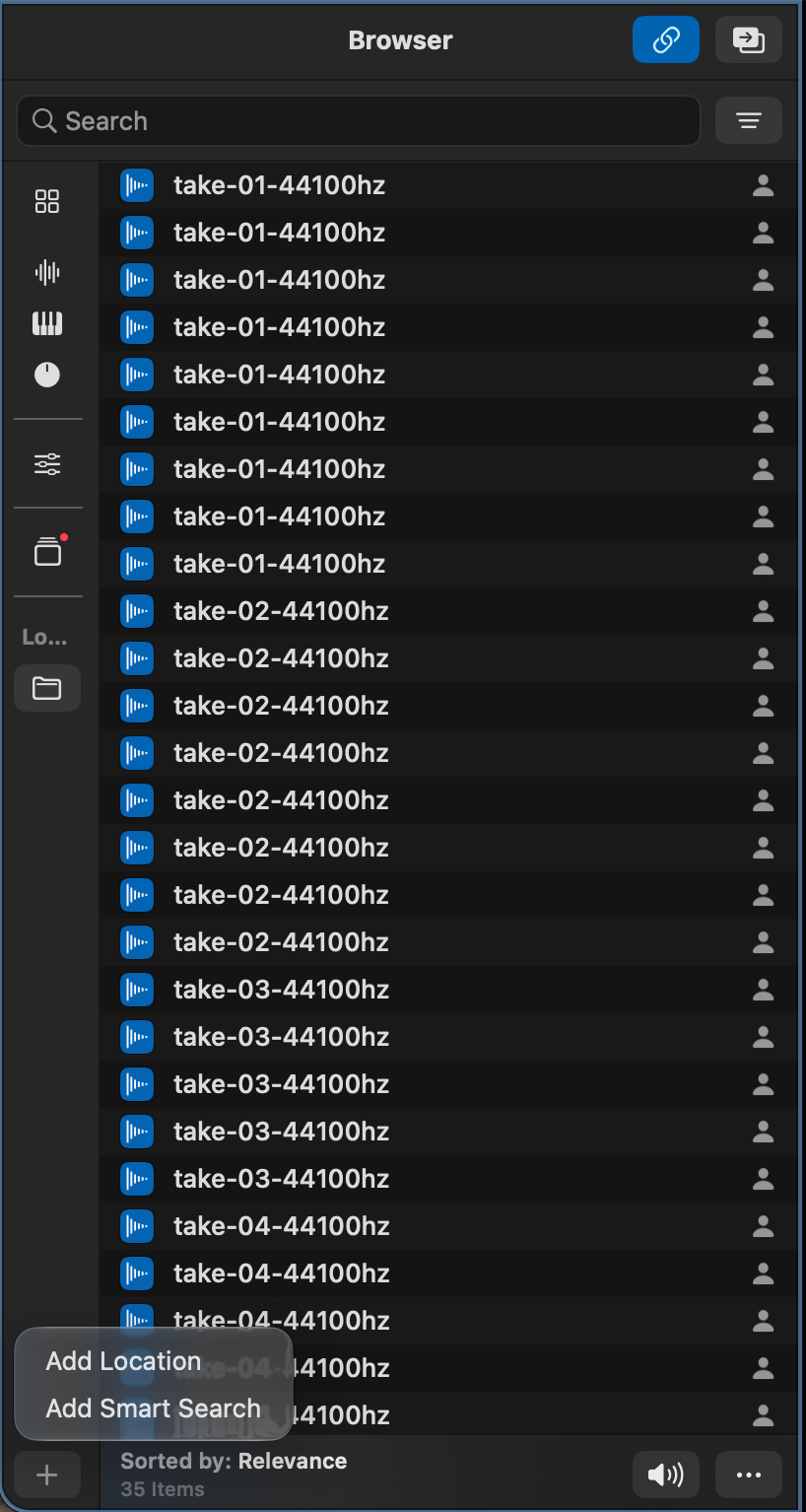
But then I tried searching for “Guitar.”
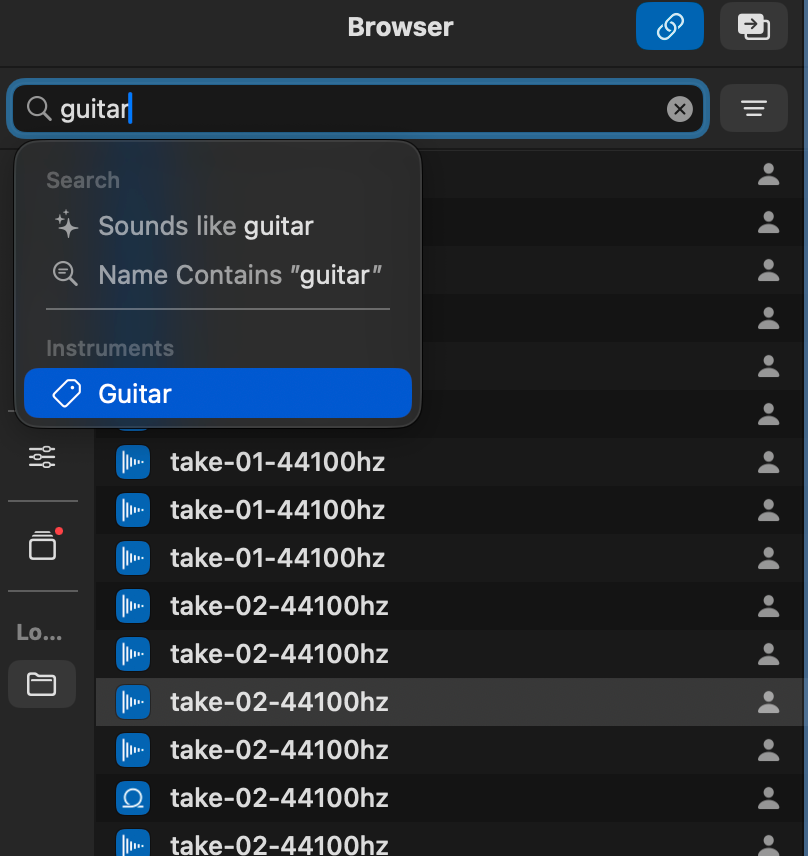
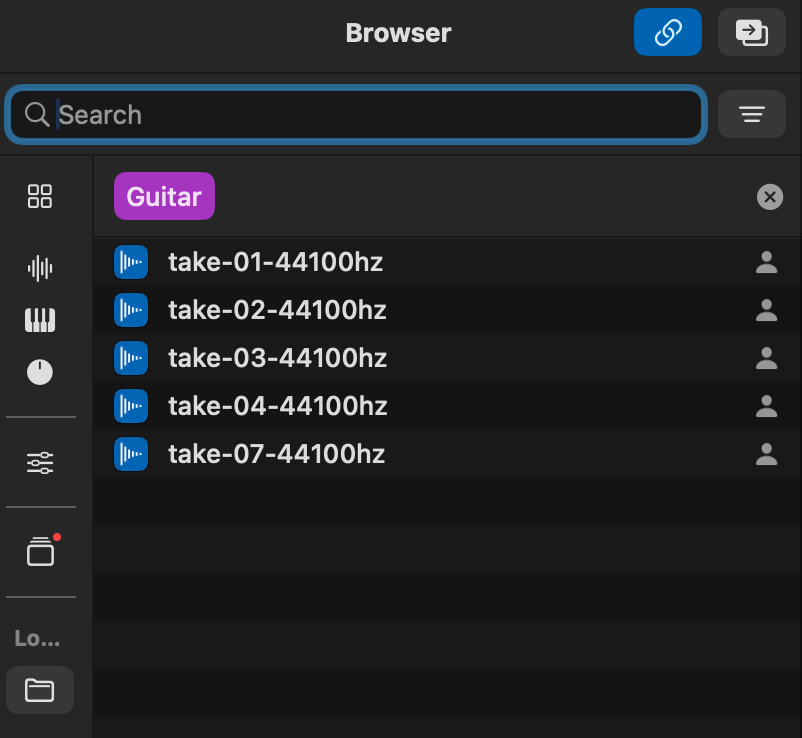
When I clicked “Guitar” under the instrument categories, the browser showed me only my guitar stems.
That’s actually quite impressive!
Instead of spending time digging through folders, I can now search for the instrument I have in mind and start working with the relevant stems immediately.
It’s a small change in the workflow, but one that makes a surprisingly big difference.
Pros and Cons
After running a few tests, here are my initial impressions.
Pros
- Faster instrument discovery. If I already have an instrument in mind, finding the right stems is much quicker.
- Seamless drag and drop. Moving stems from the browser into my project feels smooth and intuitive.
Cons
- The “Sounds Like” feature needs improvement. In my testing, it didn’t seem to filter the results meaningfully and instead showed almost everything.
- Limited MIDI support. I couldn’t get the new browser to display MIDI files from my local folders, which is disappointing for someone who works extensively with MIDI.
Why Bovo Agent Is an Even Better Companion to Logic Pro
With this latest update, I think Bovo Agent becomes an even more useful companion to Logic Pro.
Logic Pro’s Session Players are still focused on piano, drums, and bass. While they’re incredibly useful, there’s still a gap when it comes to generating other instrumental parts.
That’s where Bovo Agent comes in.
Bovo Agent can generate additional instrumental stems, while Logic Pro’s new browser makes those stems much easier to find, organize, and integrate into an existing project.
For me, the exciting part isn’t just about generating more music with AI. It’s about using AI to streamline the production workflow so we can focus on the human side of music creation: making artistic decisions, shaping sounds, and bringing everything together through our own personal taste and creativity.
And with these tools working together, music-making becomes not only more efficient, but also a lot more fun.