Bovo Music for iPhone

Make the music fit the moment.

Bovo Music builds a soundtrack around your video, then gives you a Music Agent to explore what it could become.

Download on the App Store

Available for iPhone on the App Store.

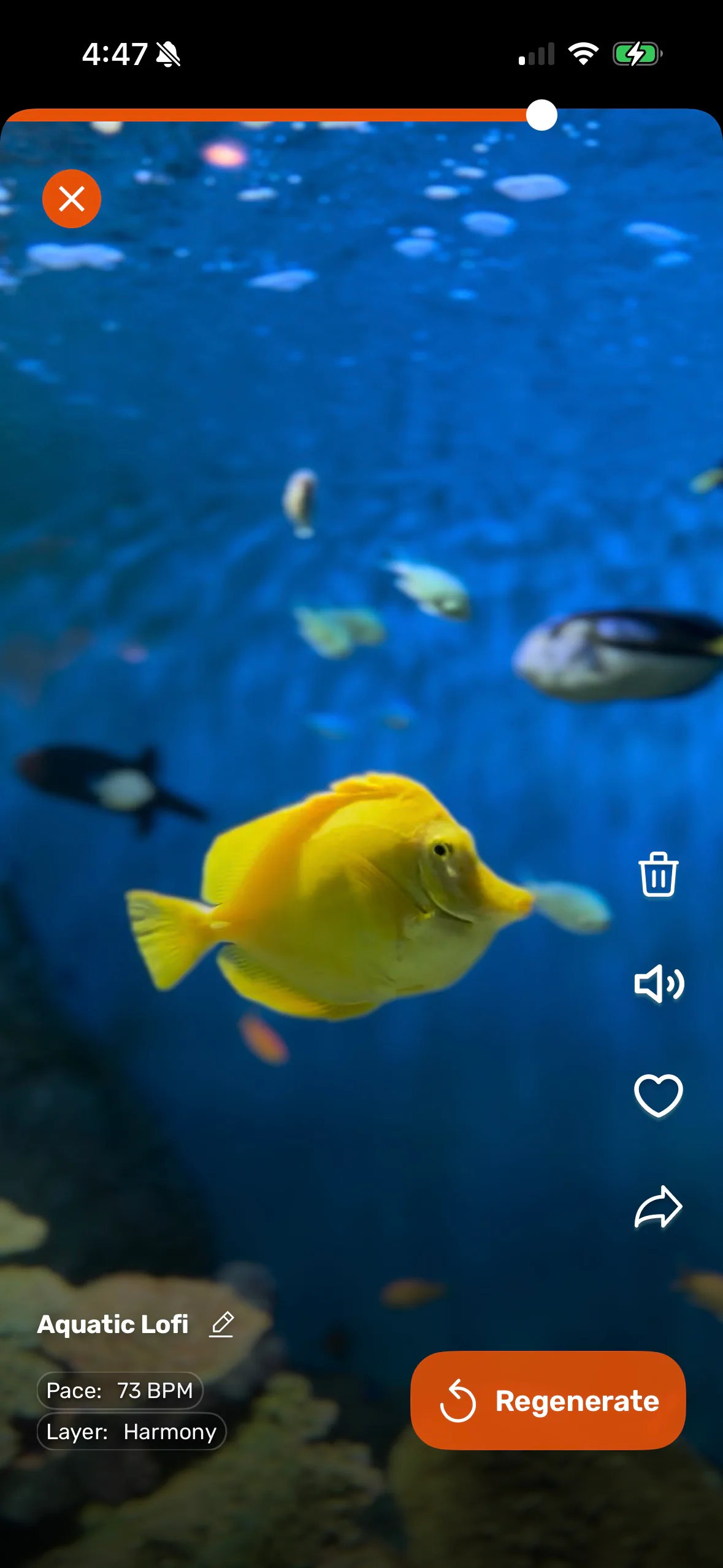
Bovo Music soundtrack controls over an aquarium video
Bovo Music app icon
SEE ITDIRECT ITHEAR ITREFINE IT

The experience

Video gives the music somewhere to begin.

Timing, movement, color, and atmosphere all become context. You can start from Bovo’s visual suggestions or describe your own musical direction, then keep refining until the soundtrack supports the cut.

The process

One story. Many ways to score it.

01

Bring the picture

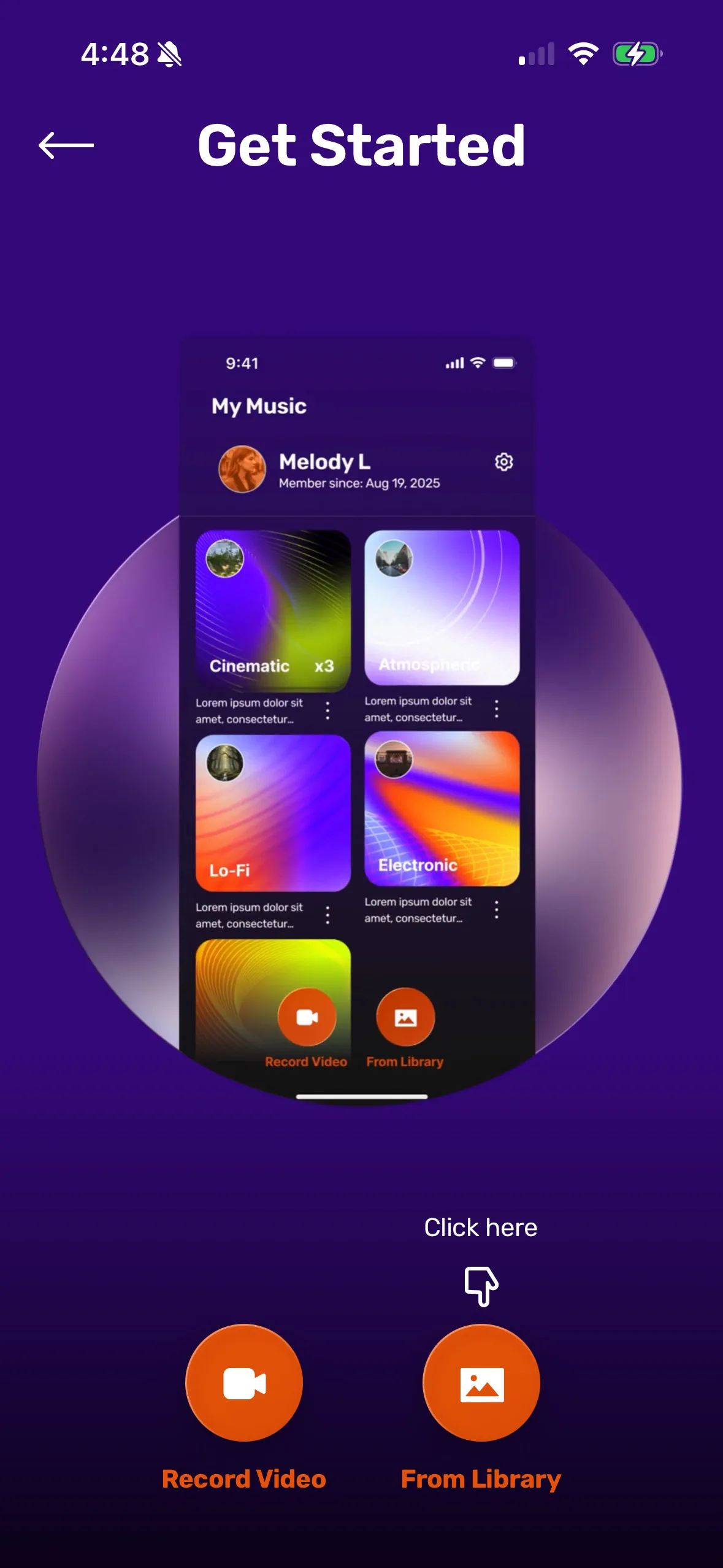
Start with your video.

Choose a clip from your library or iCloud. Bovo keeps the visual story at the center from the first note.

Bovo Music Get Started screen with video recording and library options
02

Direct the feeling

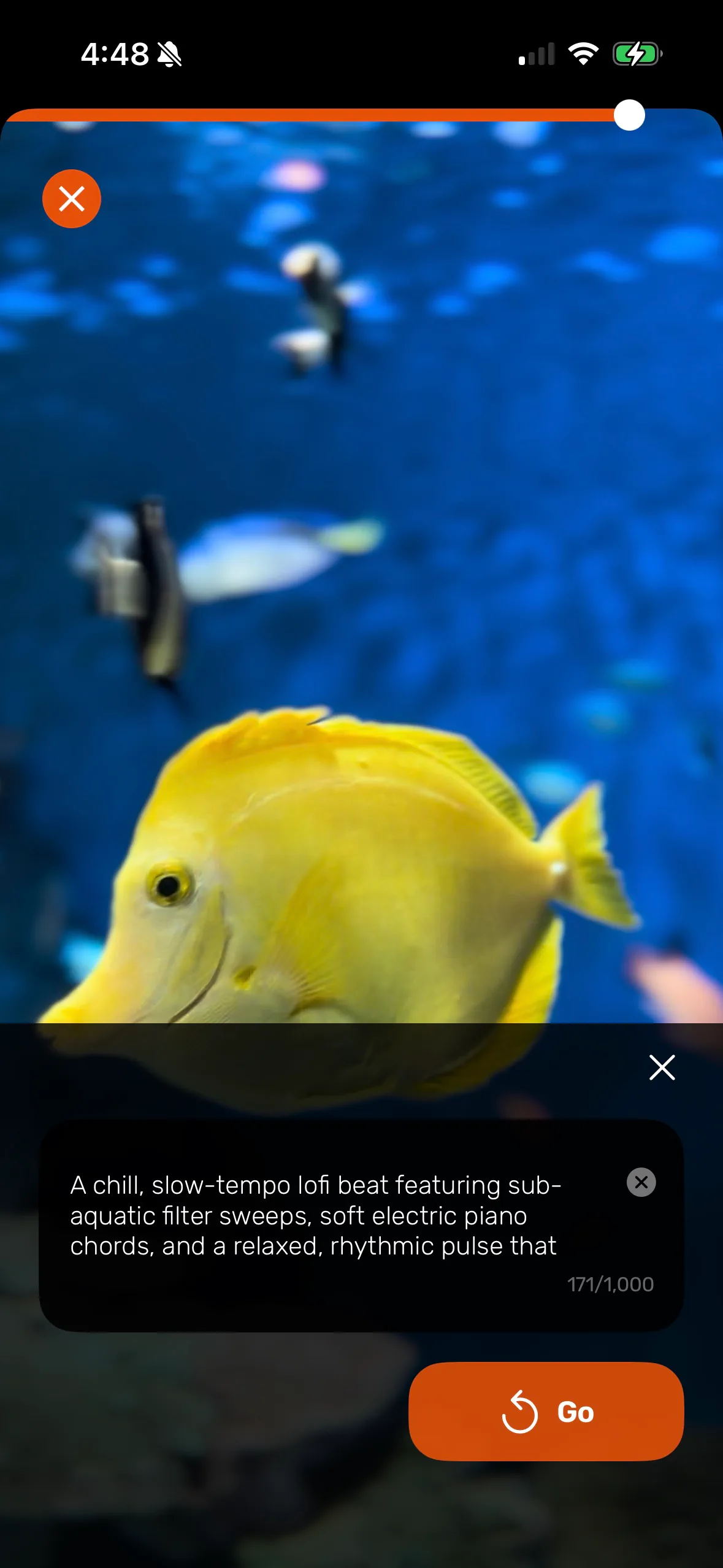
Tell the Music Agent what you hear.

Describe a mood, genre, energy, or instrumentation in natural language. Or begin with visual suggestions from the footage.

Bovo Music soundtrack controls over an aquarium video
03

Find your version

Generate, compare, and refine.

Explore alternate directions, revisit your creations, adjust the balance, and choose the soundtrack that serves the edit.

Bovo Music prompt for refining an aquarium soundtrack

Inside Bovo Music

The tools stay close to the creative question.

01

Composed for video

Music is created for the duration and character of your footage, so picture and sound begin in the same conversation.

02

Direct with words

Ask for a different mood, tempo, genre, layer, or instrument without translating your idea into production jargon.

03

Visual suggestions

Let Bovo read motion, color, and atmosphere from the video to offer a useful musical starting point.

04

Creative variations

Generate and compare multiple musical approaches while keeping the same visual story in view.

05

Mix control

Balance the video and soundtrack before export, with the final creative call still in your hands.

06

Made to move

Save the finished video to your library and share it wherever your work belongs.

Bovo Music, in brief

Answers for the creative process.

What is Bovo Music?
Bovo Music is an iPhone app that creates custom AI soundtracks around a video. It uses the footage and the creator’s musical direction as context, then lets the creator compare and refine variations.
How do you make a soundtrack with Bovo Music?
Choose a video, describe a mood, genre, energy, or instrumentation in natural language, then generate and compare musical directions. You can adjust the balance between the video and soundtrack before saving the finished video.
Can Bovo Music suggest a musical starting point?
Yes. Bovo can use motion, color, and atmosphere from the footage to suggest a starting point, or you can begin with your own musical direction.
Where is Bovo Music available?
Bovo Music is available for iPhone on the App Store.
Who makes the final creative choice?
The creator does. Bovo can suggest starting points and generate alternatives, while the creator chooses the direction, compares versions, and balances the video and soundtrack before export.